Easy Setup
Start from reusable setup profiles and review every change before it runs.
 Download ↓
LINUX SETUP MANAGER
A modern, open-source Linux setup and system management app. Install software, apply tweaks, manage your system and more — all from one clean interface.
Free · Open Source · Linux
COMPATIBILITY
FEATURES
Start from reusable setup profiles and review every change before it runs.
Browse applications, updates, repositories and drivers from one place.
Manage desktop tweaks, startup applications and system services.
Clean reclaimable storage, run diagnostics and review activity history.
Keep setup recovery points and reusable configuration close at hand.
Import and export profiles, preview commands and inspect Linux compatibility.
APPLICATION
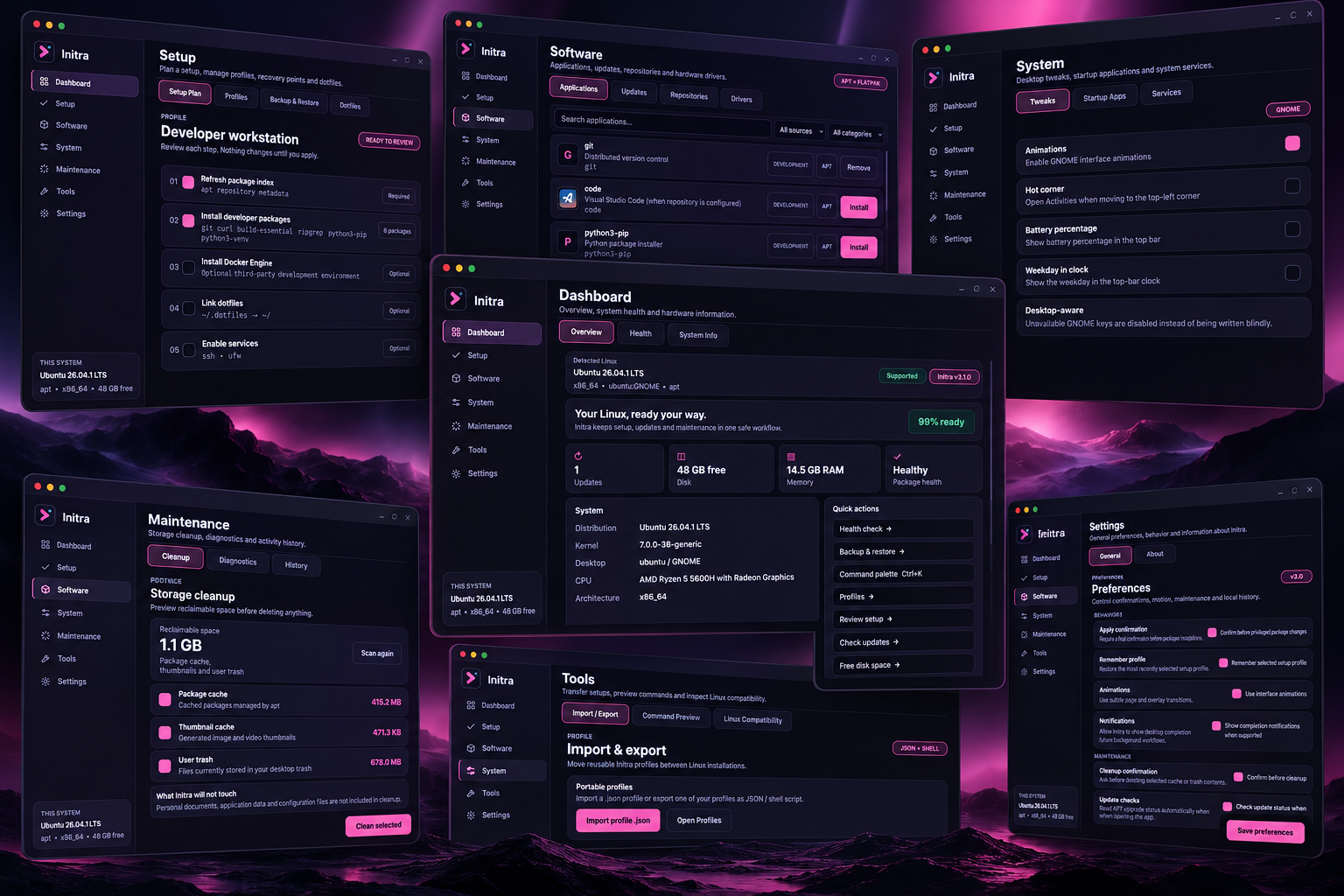
A complete control center built to feel at home on your Linux desktop.
System health, hardware information and quick actions on one clean overview.
Build a workstation from a profile, review each step and run only what you want.
Search software and manage packages from native repositories and Flatpak.
Safe desktop tweaks, startup apps and services with clear live-state controls.
Preview reclaimable space before deleting anything and keep personal files untouched.
Import and export profiles, preview commands and check compatibility.
$ initra profile export developer.json
✓ profile exported
$ initra compatibility check
✓ Ubuntu · apt · x86_64
EASY SETUP
Code, Python and build tools
Use this profile →A clean everyday Linux setup
Use this profile →Steam and performance tools
Use this profile →Graphics, video and streaming
Use this profile →HOW IT WORKS
Pick a setup profile.
See exactly what Initra will change.
Let Initra configure your system.
OPEN SOURCE
Initra is built in the open under the MIT License. Read the code, follow the roadmap and help shape the app.
MIT License